
Squads
Create or join crews, invite riders by code, chat, and see who's rolling — your rides get a home team.
How Rippin' works
You don't babysit the app while you ride. Tap Record Ride once and Rippin' tracks your route, clocks the segments you hit, watches the turf you cover, and saves the whole thing to share. Here's the walkthrough.
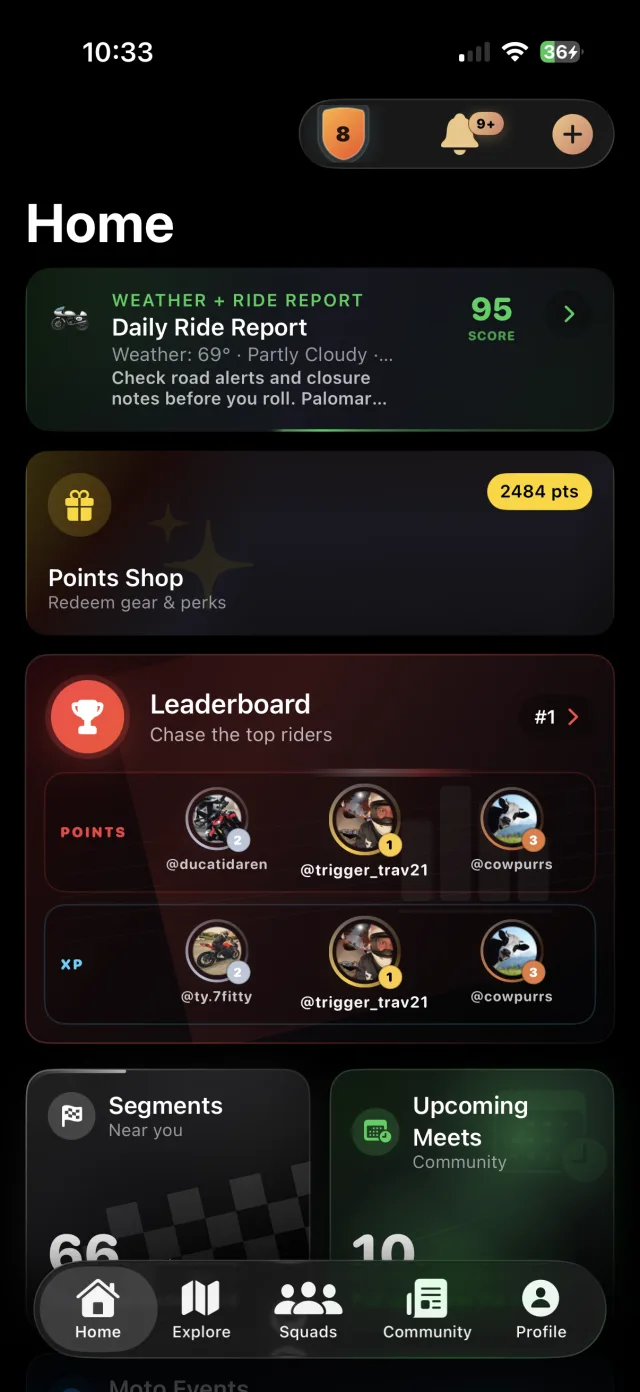
Watch the walkthrough
Two real screen recordings from the iPhone app: signing up, then the quick tour that shows you around. About a minute and a half, all in. Tap a chapter to jump to it.
No password. Use an email link or Sign in with Apple, confirm your area, add your bike, then see the meets and squads already riding near you.
The first time you open Rippin' it walks you through everything that matters, then shows how points and your squad pay off.
One tap, then ride
There's really only one thing you have to do. Everything else — segments, turf, stats, your ride story — happens on its own while you ride.
One button on the home screen. That's the whole setup — no route to build, no laps to arm.
Phone in your pocket. Rippin' tracks your route, distance, elevation, and speed in the background — and clocks any segments and turf you cover.
Get a Ride Wrapped recap with your map, stats, segments, and turf — ready to post to your feed.
Recording a ride
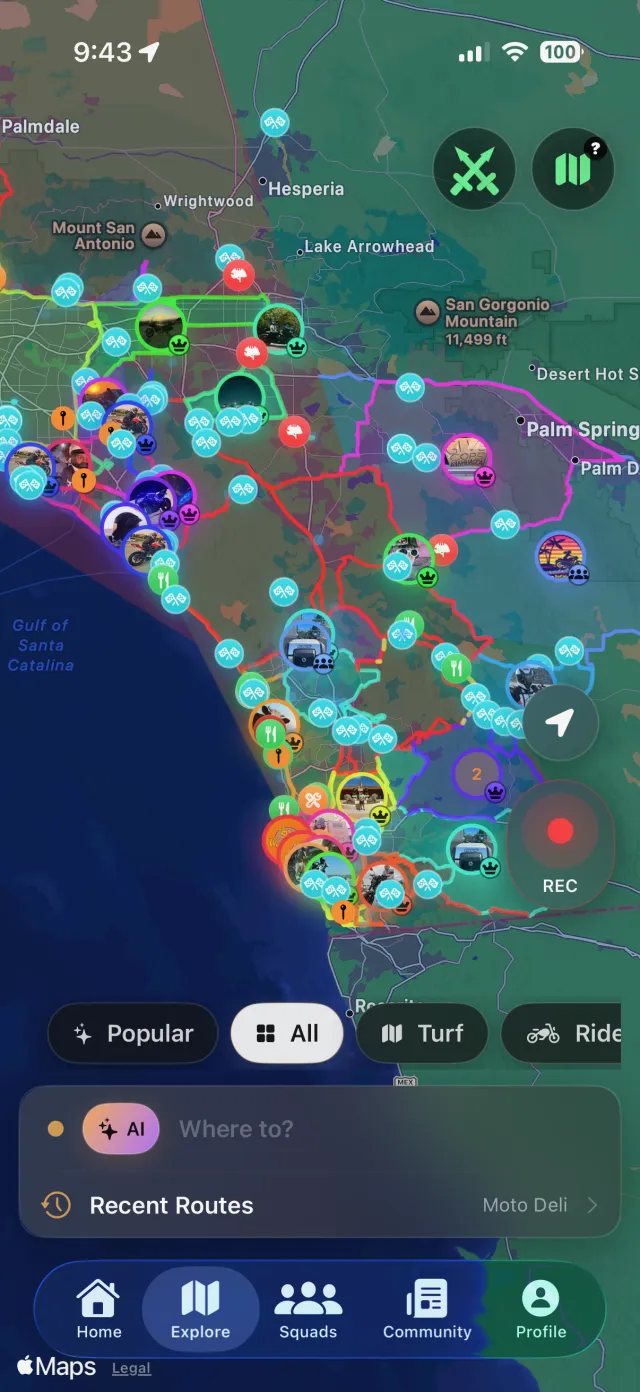
This is the heart of Rippin'. No lap buttons, no route setup — just Record and go. When you stop, your ride is saved with its route map, distance, moving time, and elevation.
Segments
Every segment is a stretch of road a rider added and a person on our team checked. Ride through one and Rippin' times you automatically, then puts you on its leaderboard. There's no start or stop button to hit.
Turf Wars
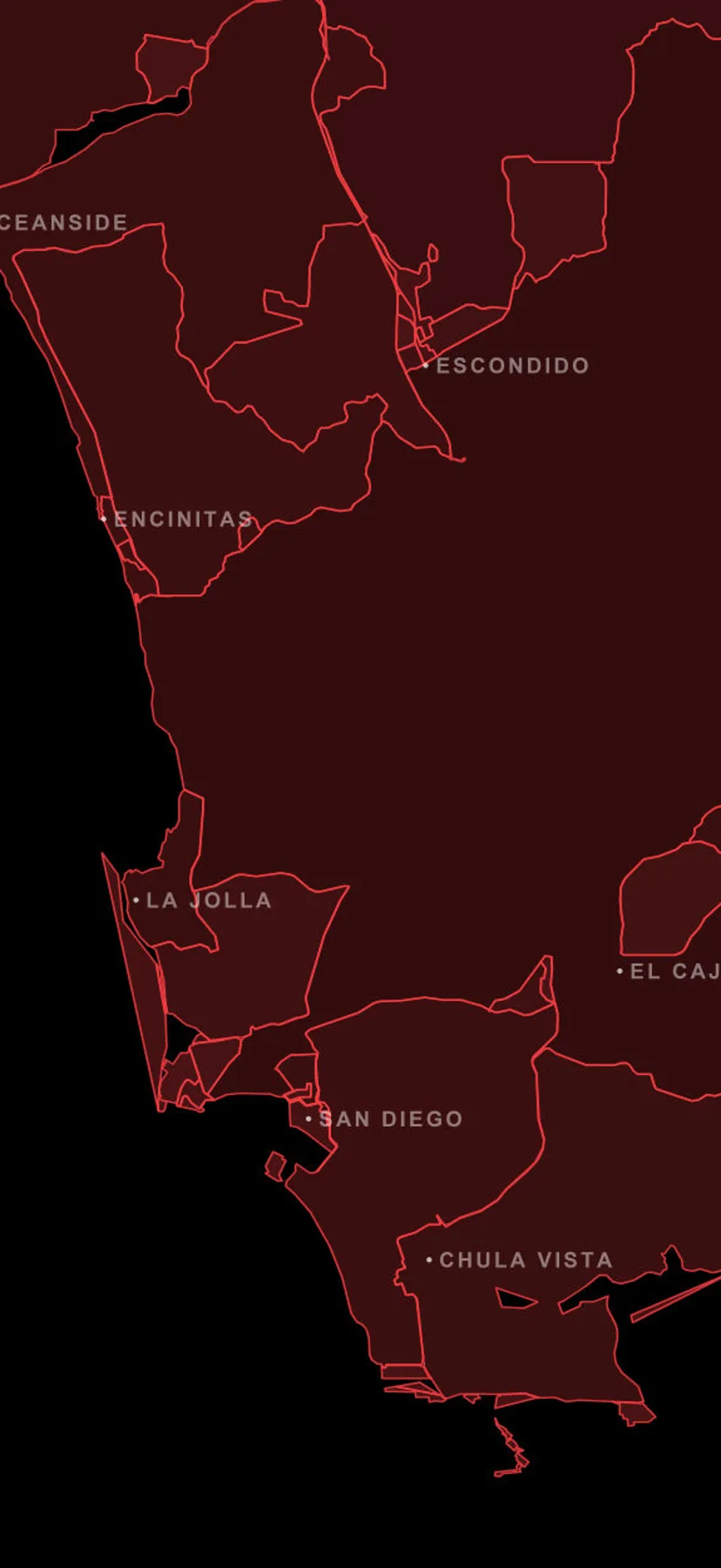
Turf Wars is the territory game on the map. Ride a loop and Rippin' claims the ground inside it — then it's yours to hold with active rides and defend from other riders and squads.
Poker runs
A poker run turns a ride into a game. Every stop deals you a card. Hold five, swap the ones you don't want, and your hand lands on the poker leaderboard.
Royal flush · five stops
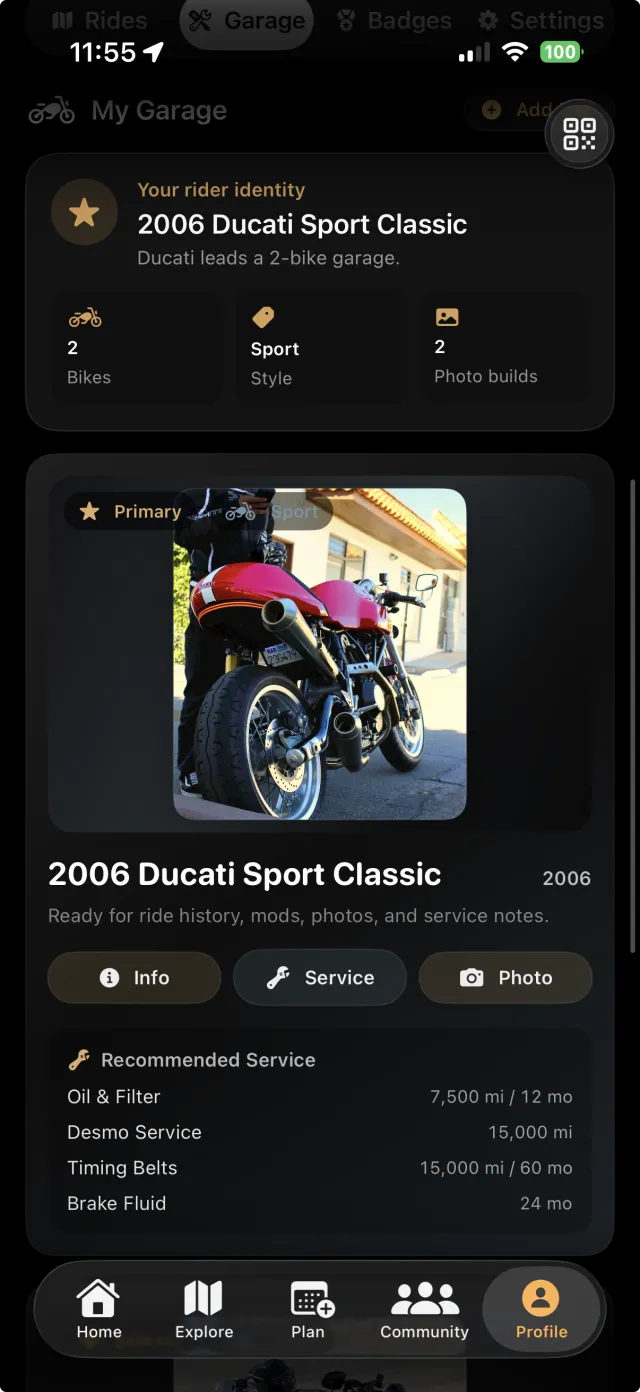
Garage
The Garage is your moto home base — every bike, every recorded ride, your lifetime miles, your XP and level, and the badges you've earned along the way.
More in the app
Once you're recording rides, the rest of Rippin' falls into place.
Create or join crews, invite riders by code, chat, and see who's rolling — your rides get a home team.
Share a clean ride card with departure, route, stops, and RSVPs so the crew actually shows up.
Find moto events, bike nights, and group rides near you, RSVP, and never miss the good ones.
Every ride stacks points — spend them on gear drops, gas cards, and rider rewards.
FAQ
No. Segments clock automatically as you ride through them — just record your ride and Rippin' handles the timing and leaderboard.
Riders do. Every segment was added by a rider and checked by a person on our team before it went live. Read how roads get added.
No. Start the ride, pocket the phone, and Rippin' tracks your route in the background.
Ride a loop that closes back on itself. Rippin' claims the ground inside it, and you hold it by keeping the turf active with rides.
Rippin' is built to track efficiently in the background. On longer rides, keep your phone topped up like you would with any GPS app.
Yes. Download and start recording rides for free on iPhone and Android.
Ready to ride
Live on iPhone and Android. Tap one button, ride, and let Rippin' capture the rest.